
CV (Curriculum Vitae)
CV & Job hunting Support > CV (Curriculum Vitae)
Your CV is often how you make a first impression on an employer. It needs to deliver the right message – make sure your CV stands out from the crowd for all the right reasons.
CV is short for 'curriculum vitae' and is a one or two page document that summarises your skills, qualifications, interests, job preferences and contact details. Most employers inspect CVs when deciding on which candidates to interview, and many employers will ask you to provide them with a CV as a minimum requirement for an application process.
Did you know?
Our icanbea... CV Wizard prompts you for all the information required for a basic CV and gives you a number of hints, pointers and formats to choose from. If you struggle with writing about yourself, it even contains a personal statement builder that will show you examples of how you could describe yourself. If you haven't got a CV yet and would like to get one up and running quickly, <access our tool, here>. You can even do this on your phone!
Here are some tips for creating a good CV:
- Tailor your CV to the employer that you are applying to
- Avoid typing errors, poor spelling and grammar mistakes
- Make it easy to read and look good
- Make it the right length - don't be vague or long winded - be concise
- List your work and education history in reverse date order, with the most recent items first and the oldest items last
- Think about activities that you're involved in outside of your studies or current job which may help you to 'stand out' to an employer or broaden your experience - and mention these where appropriate* (This maybe in your 'Hobbies & Interests' section)
- Ensure that dates for your activities make sense - any large gaps in employment or education should be accounted for on the CV - you don't have to go into extreme detail, but don't leave the reader confused. There are neutral and even positive ways of accounting for gaps - so ask someone at a careers or CV service or use online tools to help you think about how to present these...
- ...and think about how to answer questions about gaps on your CV if you get to interview - they don't have to be a problem but not having a clear answer may confuse the interviewer
*Team-oriented, voluntary and other 'extracurricular' activities are often a fun way to increase your knowledge of the world and can provide you with valuable life experiences. These will not only benefit you personally, but also demonstrate to prospective employers the additional skills and experience you have, over and above more traditional qualifications. We've listed some organisations below that you might want to take a look at in this regard.
- National Citizen Service
- The Duke of Edinburgh's Award
- Girlguiding
- Scouts
- Combined Cadet Force
- Volunteer (.gov)
Remember that your CV needs to say who you are, and how an employer can contact you or your references. (A reference is a person or organisation who can confirm some of what you say on your CV) It needs to list your achievements, qualifications and skills, and where you got them, normally with the most recent experiences first. (Reverse chronological order)
Of course, your CV needs to reflect you, so it's never a bad idea to create one yourself, from scratch. There are lots of resources online to help you with doing this, including the suggestions on this page! We've included some templates further down to get you started.
Personal Statement
Your personal statement appears at the top of your CV and is your chance to grab an employer's attention. Tell them about what you're looking for and what you can offer them. Try and keep it somewhere in the region of 75-150 words and make sure it reflects who you are – especially if you've had help putting it together. This part of the CV helps the employer understand a bit more about you, over and above dates and grades and work or education history. You should try and write this yourself if you can, it's just a short piece about your general skills and attitude.
If you need help with writing your personal statement that's fine, but make sure it still reflects you and sounds like you. The following documents contain great examples of words and phrases that work well. These were put together by a Career Advisor at West Suffolk College.
- Personal Statement Profiles (pdf)
- Useful CV Phrases (pdf)
- More Useful CV Phrases (pdf)
You can find similar examples of vocabulary in our CV Wizard, where there's a tool to build example statements.
Using AI
AI can be a useful tool for your CV in general - giving you ideas, examples, help with formatting and offering suggestions to refine your content to make it more engaging or concise. There are lot of tools available with ChatGPT, Claude and Copilot being some of the best known.
Be sure to research any online tools you use and decide whether you think they are fit for purpose and safe to use with your data. Be conscious of the personal information that you might choose to submit to these tools - as a general rule, provide only as much personally-identifying information as is strictly necessary - both to access the tool and so that the tool can do the job you are asking. For example, if you are asking an AI tool to critique your existing CV, you should consider removing your address and phone number and even email address first - you can always tell the AI that you will add these aftewrwards.
Don't forget that your CV is about YOU and the authentic YOU should be seen and 'felt' throughout your CV. When you get to interview, the employer needs to feel that they are talking to the same person that is reflected on the CV, so whoever or whatever you use to help you put one together, be sure check it thoroughly and ensure it really does reflect you - the best version of you, the most polished you, certainly - but it must be you!
Finally, remember that like people, AI can make mistakes. AI mistakes can take the form of 'hallucinations' - content which reads well and sounds plausible yet maybe incorrect, untrue or otherwise misleading. Check everything!
---
However you put your CV together, make sure that you check it through for basic spelling and grammar issues that might put you at a disadvantage. Ideally you you should get someone else to check it for you too, as everyone picks up on different things. They might spot something you've missed or be able to help you with suggestions. If you're working with an educational organisation then a careers advisor might be able to help, or if you're using the services of the DWP or Job Centre Plus - an advisor will be able to do this for you. Perhaps a friend or relative would take a look, and there are many other organisations that will do this for you for free or for a fee! Here at icanbea... we are happy to take a look CVs for people aged 11-25 and let you know what we think. We don't charge for this! You can contact us here.
Below are some CV templates which will help with formatting and show you the basics of what should be included.
CV Templates
|
Template 1  |
Template 2  |
Template 3  |
|
Template 4  |
Template 5  |
Template 6  |
|
Template 7 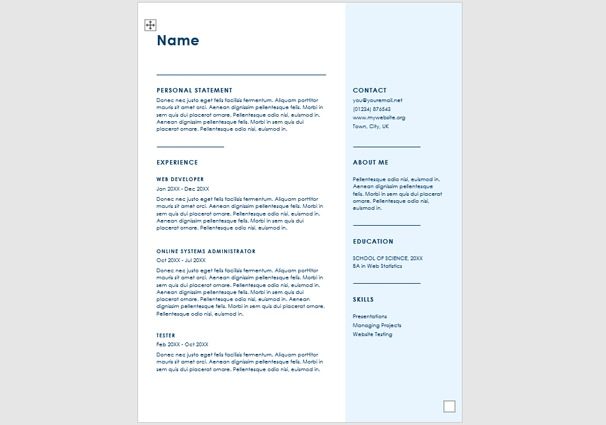 |
More templates soon! |
More templates soon! |
Covering Letter
Not all applications require a covering letter, but if given the opportunity, it is a good idea to include one.
A covering letter is a great way to emphasis parts of your CV and give further explanation as to why you are applying for a particular job. It gives you another opportunity to sell yourself.
A good covering letter....
- Is well written
- Doesn’t contain any spelling mistakes or bad grammar
- Supports what's in your CV
- Shows your enthusiasm
- Identifies your unique selling points
- Promote your transferable skills
- Shows that you've done your research and you know what the employer is looking for
Interview Tips...
So your application has been successful and you have been called for an interview - What next? Time to take a look at our Interview Tips page.
Back to > CV & Job hunting Support
